v0, Firebase Studio, and AI Studio: How Cloud Platforms Support Vibe Coding

- Mark Chomiczewski
- 18 March 2026
- 0 Comments
Forget typing line after line of code. The future of building apps isn’t about memorizing syntax anymore-it’s about vibe coding. You describe what you want. You sketch a screen. You point to something on a mockup. And then, without writing a single line, your app starts to take shape. This isn’t sci-fi. It’s happening right now, and three platforms are leading the charge: v0, Firebase Studio, and Google AI Studio. They’re not just tools-they’re shifting how developers think about building software.
What Is Vibe Coding, Really?
Vibe coding isn’t a buzzword. It’s a workflow. It’s when you stop treating programming like a rigid language and start treating it like a conversation. You say, "I want a task app with login, dark mode, and sync across devices." You draw a rough layout of the buttons. You upload a screenshot of a design you like. And the AI builds it. Not just the UI-full backend, authentication, database, API keys, everything. No config files. No npm install hell. Just results.
This isn’t about replacing developers. It’s about removing the friction. The boring parts. The setup. The boilerplate. The hours spent debugging dependency conflicts. Vibe coding lets you focus on the *why*-not the *how*.
Firebase Studio: The Full-Stack AI Builder
Launched in March 2025, Firebase Studio is Google’s answer to the rise of vibe coding. It’s not just another code assistant. It’s a complete cloud-based development environment built on Project IDX, Genkit, and Gemini-all fused into one browser-based workspace.
Here’s how it works: You open Firebase Studio. You click "Create New App." You type: "A fitness tracker with daily logs, Firebase Auth, and real-time stats." You upload a hand-drawn sketch of the dashboard. Within 23 seconds, you get a working Next.js app with Firestore database, user sign-in, and a live preview. No manual setup. No API key generation-you don’t even need to think about it. Firebase Studio creates and configures everything automatically.
It supports React, Next.js, Flutter, and Angular through AI-optimized templates updated in June 2025. You can tweak the code afterward, but the real magic is in the initial generation. Developers report building production-ready prototypes in under 15 minutes. One Reddit user built a full task manager with auth and Firestore in 15 minutes-just by describing it.
What sets Firebase Studio apart? The App Prototyping agent. It doesn’t just generate UI code. It builds the backend, connects it to Firebase services, and even sets up security rules. It’s the first tool that turns a vibe into a fully functional, deployable app-no DevOps needed.
v0: The UI Powerhouse
While Firebase Studio builds full apps, v0 (pronounced "v zero") is laser-focused on one thing: UI generation. Launched in May 2024 by Vercel, it’s the go-to for designers and frontend devs who want to turn a prompt into a polished interface.
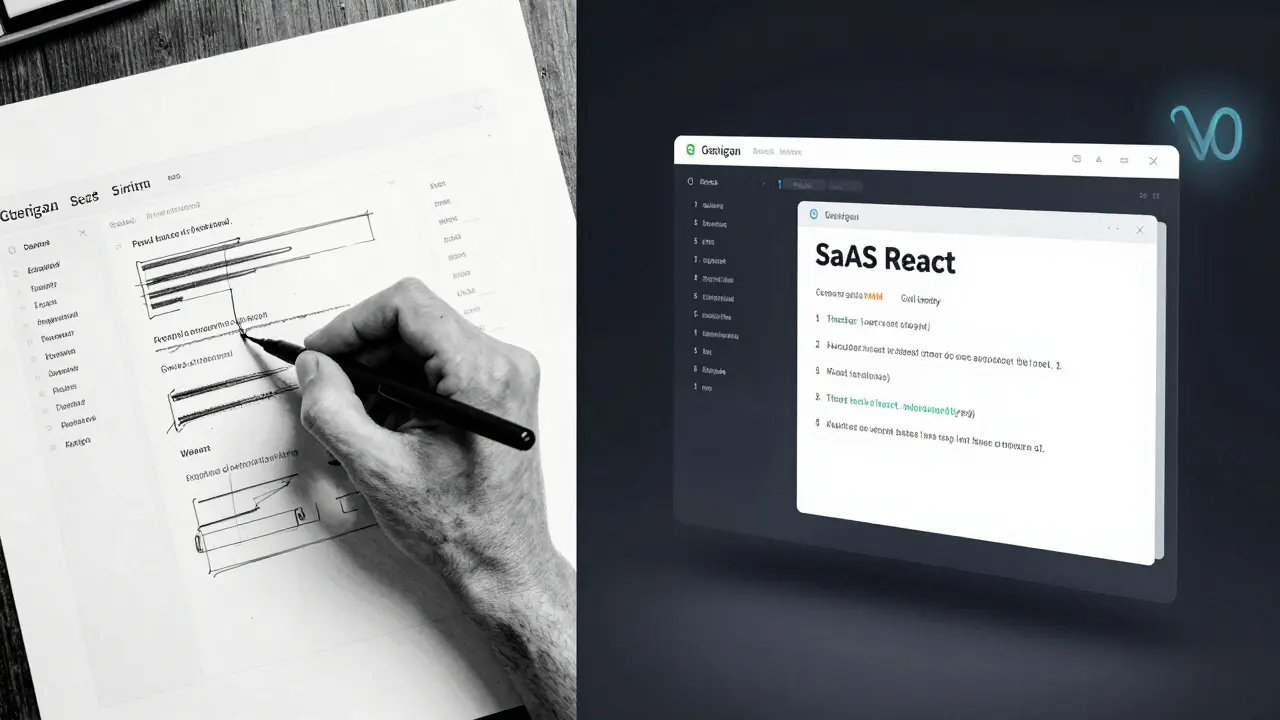
Type: "A SaaS dashboard with dark mode, analytics cards, and a sidebar nav." Upload a Figma link. Or just describe it. v0 returns clean, responsive React code with Tailwind CSS. No backend. No auth. Just UI. Perfect for wireframing, client demos, or rapid frontend iteration.
It’s fast. It’s simple. And it’s great-if you already know what backend to use. But if you’re starting from scratch, v0 leaves you hanging. You still need to connect it to Firebase, Supabase, or your own API. That’s where Firebase Studio wins: it does it all in one place.
Users rate v0 at 4.2/5 for UI quality, but 3.1/5 for "completeness." It’s a painter, not a builder.
Google AI Studio: The Prompt Engineer’s Lab
Don’t confuse AI Studio with Firebase Studio. AI Studio launched in February 2024 as a playground for experimenting with Gemini models. It’s where you test prompts, tweak parameters, and debug model behavior.
It’s not for building apps. It’s for understanding how AI thinks. You can feed it text, images, or code snippets and see how Gemini responds. You can compare model outputs. You can fine-tune prompts until they’re perfect.
Think of AI Studio as the workshop. Firebase Studio is the factory. You use AI Studio to train your prompts. Then you use Firebase Studio to turn those prompts into real applications.
Many developers use both. They test their app description in AI Studio first. Refine the wording. Then paste it into Firebase Studio and watch the app materialize.
How They Compare
| Feature | v0 | Firebase Studio | Google AI Studio |
|---|---|---|---|
| Primary Purpose | UI generation | Full-stack app creation | Prompt experimentation |
| Backend Built-In | No | Yes (Firestore, Auth, Hosting) | No |
| Input Types | Text, image | Text, image, drawing, sketch | Text, image, code |
| Output | React/Tailwind code | Full app with deploy-ready code | Model responses, prompt logs |
| Ease of Use | Very easy | Easy (for devs) | Medium (for engineers) |
| Best For | Frontend mockups | Startups, solo devs, rapid prototyping | AI researchers, prompt engineers |
Real-World Pros and Cons
Let’s be honest-no tool is perfect.
Firebase Studio’s biggest strength? Speed. A 23-second prototype. Auto-generated API keys. Phone preview via QR code. It removes so much friction that even junior devs can ship something meaningful in an afternoon.
But here’s the catch: the code it generates? Sometimes it’s messy. A Stanford study found 63% of Firebase Studio apps needed major refactoring before going live. Why? The AI doesn’t always follow best practices. It might skip documentation. It might use unconventional patterns. You still need to understand code to fix it.
That’s why Google added "airules.md" files in June 2025. These are hidden config files inside each template that guide the AI to write cleaner, more maintainable code. Still, it’s not foolproof.
Mobile support? It’s improving. In November 2025, Firebase Studio added better Flutter preview. But if you want a native iOS app, you’re still doing manual work. Web is king here.
And yes, there’s vendor lock-in. If you build everything on Firebase, you’re tied to Google’s ecosystem. Switching to AWS or Supabase later? Not easy.

Who Should Use This?
If you’re a solo developer, a startup founder, or a small team with no backend specialist-Firebase Studio is a game-changer. You can go from idea to live app in hours, not weeks. And it’s free. No credit card needed. No trial. Just sign in with your Google account and start building.
If you’re a UI designer or frontend engineer who just needs to show a mockup to clients? Use v0. It’s faster than Figma for turning ideas into code.
If you’re an AI researcher or want to understand how Gemini thinks? Use AI Studio. It’s your sandbox.
Most developers use all three. They sketch in v0. Test prompts in AI Studio. Then build the real thing in Firebase Studio.
The Bigger Picture
This isn’t just about tools. It’s about a shift in mindset. The old way: write code → test → debug → deploy. The new way: describe → refine → preview → deploy.
Gartner predicts the cloud-based AI development market will hit $4.7 billion by 2027. Firebase Studio already has 18% market share among Firebase users. Forrester says 78% of Firebase-using companies will adopt it by late 2026.
Google isn’t just building a tool. It’s building a new development paradigm. And it’s betting big-$4.2 billion on Firebase in 2025 alone. That’s not a fluke. That’s strategy.
Will vibe coding replace traditional coding? No. But it will replace the grunt work. The setup. The waiting. The frustration.
Tomorrow’s best developers won’t be the ones who type the fastest. They’ll be the ones who think the clearest.
Is Firebase Studio really free?
Yes. Firebase Studio is completely free to use for standard development. There are no paywalls for generating apps, using the App Prototyping agent, or deploying to Firebase Hosting. Enterprise features like team collaboration controls and advanced security are in development but not yet required for basic use. You only pay if you exceed Firebase’s free tier limits for backend services like Firestore or Authentication-just like the regular Firebase platform.
Can I use Firebase Studio without knowing JavaScript?
You can start building apps without deep JavaScript knowledge, but you’ll need some basic understanding to fix or customize what the AI generates. Firebase Studio’s App Prototyping agent can build a working app from a simple text prompt-even if you’ve never written code before. But if the app behaves oddly, or you want to add a new feature, you’ll need to read and tweak the code. Google reports that developers with at least 6 months of JavaScript experience adapt most quickly.
How does Firebase Studio differ from GitHub Copilot?
GitHub Copilot is like a smart autocomplete. It suggests lines of code as you type. Firebase Studio is like having a whole team of developers working for you. It builds entire apps from descriptions, sets up databases, configures authentication, and deploys everything-all in one click. Copilot helps you code. Firebase Studio lets you skip coding entirely for the first version of your app.
Does Firebase Studio support mobile apps?
It supports web apps best. You can generate Flutter code for mobile, but the AI doesn’t yet auto-configure mobile-specific features like push notifications or app store deployment. Mobile prototyping is improving-since November 2025, the preview feature lets you test Flutter apps on your phone via QR code-but full mobile development still requires manual adjustments. Google plans to expand mobile support in Q2 2026.
What happens if Google shuts down Firebase Studio?
It’s unlikely. Firebase has been around since 2011 and is now a core part of Google Cloud’s AI strategy. Google invested $4.2 billion into Firebase in 2025 alone. Unlike past tools that were discontinued, Firebase Studio is built on established, mission-critical infrastructure. Even if the interface changes, the underlying tech-Project IDX, Genkit, and Gemini-will live on. Your code is yours. You can export it anytime and run it anywhere.
Where to Go Next
Try Firebase Studio today. Sign in with your Google account. Use a simple prompt like: "Build a weather app with location, 5-day forecast, and dark mode." See what happens. Then try v0 for the UI. Try AI Studio to tweak the prompt. You’ll quickly see how these tools fit together.
The future of development isn’t about knowing every framework. It’s about knowing how to ask the right questions. And now, the tools are ready to answer.