Vibe Coding Resources: Best Courses, Templates, and Forums for New Developers in 2026

- Mark Chomiczewski
- 15 July 2026
- 6 Comments
You don't need to memorize syntax anymore. The era of staring at a blank editor, wondering if you missed a semicolon, is officially over. Welcome to vibe coding, a development approach where you describe what you want in plain English, and AI writes the code for you. It sounds like magic, but it’s actually just efficient. By mid-2025, this method had exploded, with platforms like Cursor and Replit turning natural language into functional apps in minutes. But here’s the catch: knowing how to talk to the AI is a skill all its own. Without the right guidance, you’ll get buggy code, security holes, or projects that look great but fall apart under pressure.
If you are new to this, the sheer number of tools can be overwhelming. Which course should you take? Where do you find reliable templates? Who do you ask when your app crashes? This guide cuts through the noise. We’ve analyzed the top community resources available in 2026, breaking down the best courses, templates, and forums to help you go from zero to deployed project without the headache.
Why Vibe Coding Needs Community Support
Vibe coding isn’t just about typing prompts; it’s about understanding context. When you ask an AI to build a login page, it gives you code. But does that code handle password encryption correctly? Does it scale if ten thousand users sign up at once? That’s where community resources come in. They bridge the gap between "it works on my machine" and "this is a professional product."
The data backs this up. According to Salesforce’s January 2025 startup study, developers using structured community support reduced their time-to-prototype from weeks to hours. More importantly, Azumo’s 2025 benchmark showed that developers who engaged with peer-reviewed prompt libraries achieved 3.2x productivity gains compared to those working in isolation. You aren’t just saving time; you’re building better software by leveraging collective knowledge.
However, there is a risk. ISACA’s Chief Technology Officer, Mary Galligan, warned in February 2025 that 68% of shared prompt patterns in public forums contained insecure code. This means you can’t just copy-paste blindly. You need curated, vetted resources. That’s why we focus on platforms with active moderation and expert validation in this guide.
Top Courses for Learning Vibe Coding
Learning vibe coding is different from learning traditional programming. You spend less time debugging syntax and more time refining your requirements. The best courses teach you to think like a product manager first and a coder second. Here are the three most effective learning paths for beginners in 2026.
1. Salesforce Trailhead: Vibe Coding for Startups
Salesforce’s Trailhead platform launched its dedicated vibe coding module in March 2025, and it has quickly become the gold standard for enterprise-aligned learning. The course focuses heavily on requirement specification, dedicating 70% of its content to defining what you need before asking the AI to build it. This approach prevents the common mistake of vague prompting.
- Time Investment: Approximately 5 hours to complete core modules.
- Best For: Non-technical founders and business analysts.
- Pros: Free access, industry-recognized certification (over 84,000 issued), strong focus on logic over syntax.
- Cons: Lacks deep technical depth for advanced engineers; rated 3.8/5 for intermediate developers by Capterra in September 2025.
2. Tabnine’s AI Code Academy
If you care about security and clean code, Tabnine is your best bet. Their Enterprise Edition, launched in early 2025, includes the "AI Code Academy," which offers 47 structured courses specifically on prompt engineering for secure code generation. Unlike general tutorials, these courses teach you how to instruct AI to follow security best practices automatically.
- Cost: $39 per user per month for the Enterprise Edition.
- Best For: Teams and developers prioritizing security compliance.
- Pros: High-quality, vetted content; reduces vulnerability risks significantly.
- Cons: Higher price point; requires some prior coding knowledge to fully grasp the security implications.
3. Google Cloud Build in AI Studio
Google Cloud offers a guided learning path with 12 progressive projects, ranging from basic web apps to full-stack implementations. They provide $300 in free credits and 20 always-free products, making it low-risk to try. However, be aware that this resource assumes you already understand cloud infrastructure. Google’s internal metrics show that 43% of beginner users abandon the course due to complexity.
- Time Investment: 10-15 hours depending on project depth.
- Best For: Developers comfortable with cloud concepts.
- Pros: Excellent security education (12 dedicated modules); integrates directly with production-grade tools.
- Cons: Steep learning curve; not recommended for absolute beginners.
Essential Templates to Speed Up Development
Starting from scratch is inefficient, even with AI. Templates give you a solid foundation, allowing you to tweak rather than rebuild. In 2026, template quality varies wildly. Some are bloated with unused code; others are lean and modular. Here’s where to find the good stuff.
Tempo Labs Template Library
Tempo Labs stands out for business applications. Their library features 217 pre-built components for common tasks like e-commerce checkouts, user dashboards, and inventory systems. These templates have a 92% implementation success rate, meaning they work as advertised with minimal tweaking.
- Cost: Minimum $20/month for full access.
- Key Feature: Human-AI hybrid development services available for complex customizations.
- User Feedback: Rated 4.8/5 for quality, though 62% of negative feedback cites limited customization options for niche needs.
Replit’s Community Vibes
Replit introduced "Community Vibes" in late 2025, allowing users to share and version-control prompt patterns and starter projects. This is ideal for hobbyists and indie hackers who want lightweight, quick-start templates. You can browse thousands of projects built by other users, fork them, and modify them instantly in the browser.
- Cost: Free tier available; paid plans start at lower thresholds than Tempo.
- Key Feature: Real-time collaboration and zero-setup environment.
- User Feedback: Highly rated for ease of use, but less robust for enterprise-scale applications.
Where to Ask Questions: Top Developer Forums
When your code breaks, you need answers fast. The vibe coding community is young, so documentation is often sparse. Forums fill this gap. But not all forums are created equal. Some are filled with noise; others are moderated by experts. Here are the places worth joining.
Replit Community Forum
With over 183,000 active members as of late 2025, Replit hosts the largest vibe coding community. Their "Learn by Vibing" interactive tutorials guide users through 157 step-by-step projects, and the forum is lively with support. Average response times are around 2.1 hours, which is incredibly fast for technical support.
- Rating: 4.7/5 on Trustpilot (October 2025).
- Best For: Beginners and those building small to medium projects.
- Pro Tip: Join their weekly "Vibe Jam" sessions to build alongside others in real-time.
Cursor’s Code Vibes Repository
Cursor appeals more to professional developers. Its "Code Vibes" repository contains 3,842 verified prompt patterns rated by nearly 10,000 contributors. If you are looking for specific, high-quality prompts for complex tasks like API integration or database optimization, this is the place. Documentation clarity scores a 4.6/5, making it easy to find exactly what you need.
- Rating: High trust among senior developers.
- Best For: Experienced coders transitioning to AI-assisted workflows.
- Cons: Mobile experience is weaker (3.2/5 on G2) compared to Replit.
Reddit’s r/vibecoding
Don’t underestimate Reddit. The r/vibecoding subreddit has grown to over 84,000 members. It’s raw, unfiltered, and incredibly helpful for troubleshooting weird edge cases. Users often share personal war stories and quick fixes that official docs miss. One user noted that finding the "Vibe Debugging" Discord server linked from Reddit saved them days of frustration.
| Resource | Primary Focus | Cost | Best For | Avg. Response/Support Time |
|---|---|---|---|---|
| Salesforce Trailhead | Courses & Certification | Free | Non-technical founders | N/A (Self-paced) |
| Tabnine Academy | Security & Prompt Engineering | $39/user/mo | Enterprise teams | Dedicated support |
| Tempo Labs | Templates & Components | $20+/mo | Business apps | 14.7 hours (Support) |
| Replit Forum | Community & Collaboration | Free/Paid tiers | Beginners & Hobbyists | 2.1 hours |
| Cursor Code Vibes | Prompt Patterns | $20/mo | Professional Devs | Community-driven |
A Step-by-Step Path for Beginners
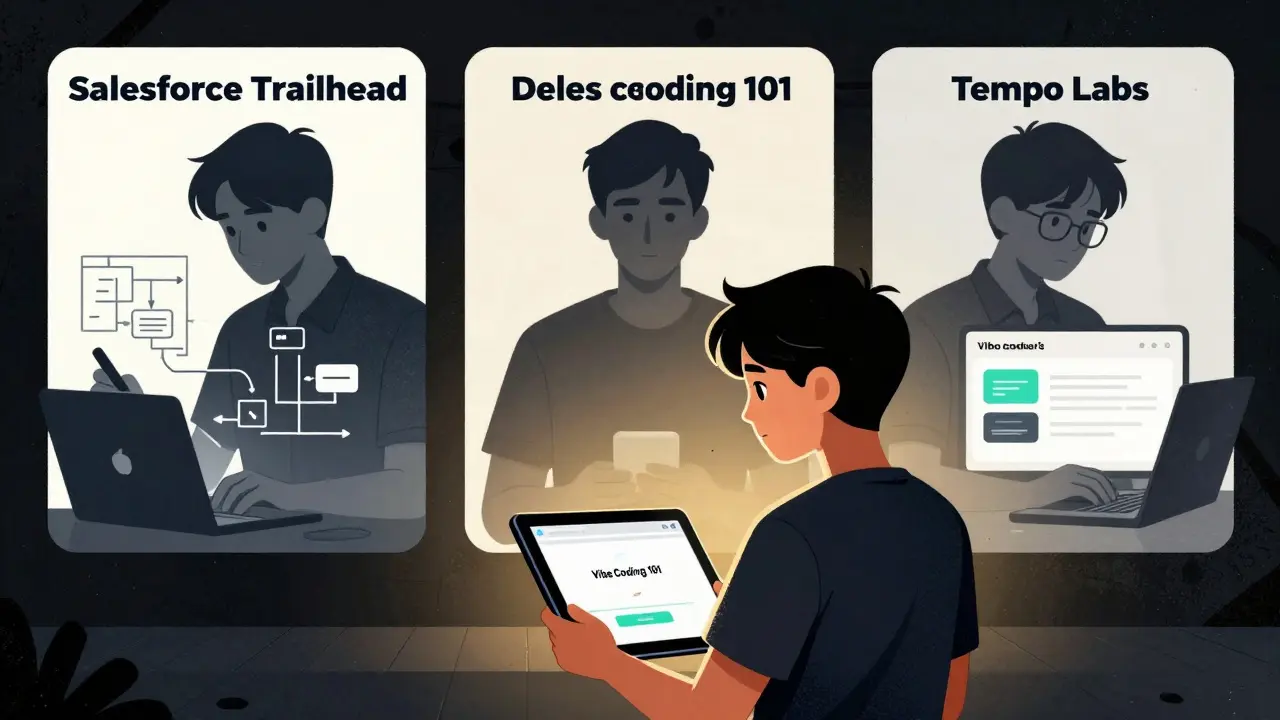
Feeling lost? Follow this proven pathway to reach basic proficiency in under three weeks. Appwrite’s September 2025 study of 3,400+ new users found this sequence to be the most effective.
- Week 1: Foundations (6 Hours)
Start with Replit’s "Vibe Coding 101." It’s designed to get you comfortable with the interface and basic prompting without overwhelming you. Build one simple project, like a to-do list or a weather app. - Week 2: Structure & Logic (5 Hours)
Move to Salesforce Trailhead’s "Vibe Coding for Startups" module. Learn how to break down complex ideas into clear requirements. This will stop you from getting generic AI outputs. - Week 3: Real-World Building (6-12 Hours)
Choose a template from Tempo Labs or Replit’s Community Vibes. Modify it to fit a real idea you have. Use Cursor’s Code Vibes repository to find specific prompts for any features you add. If you get stuck, post your issue on r/vibecoding or the Replit forum.
Remember, 78% of beginners with less than six months of coding experience successfully built functional apps using this approach (Questera, August 2025). You don’t need to be an expert to start; you just need to be persistent.
Common Pitfalls to Avoid
Even with great resources, mistakes happen. Here’s what to watch out for based on community feedback and expert analysis.
- Ignoring Security: As mentioned, many public prompts contain vulnerabilities. Always review generated code, especially for authentication and data handling. Use Tabnine’s security-focused courses if you’re building anything sensitive.
- Over-Reliance on Templates: Templates are starting points, not finished products. If you don’t understand how a component works, you won’t know how to fix it when it breaks. Spend time reading the code your AI generates.
- Vague Prompting: "Make a cool website" yields poor results. "Build a responsive landing page with a hero section, three feature cards, and a contact form using Tailwind CSS" yields great results. Be specific.
Is vibe coding suitable for complete beginners?
Yes. Research from Questera in August 2025 shows that 78% of beginners with less than six months of coding experience successfully built functional apps using vibe coding tools. The key is starting with guided courses like Replit's "Vibe Coding 101" rather than jumping straight into complex projects.
Are vibe coding templates safe to use?
Most reputable templates from platforms like Tempo Labs are safe, but caution is advised. ISACA reported in 2025 that 68% of shared prompt patterns in public forums contained insecure code. Always review the code, especially for authentication and data storage, and prefer vetted sources over random GitHub repositories.
Which platform is best for learning secure prompt engineering?
Tabnine’s AI Code Academy is currently the leader in this space. Their Enterprise Edition includes 47 structured courses specifically focused on generating secure code. While it costs $39 per user per month, it is highly recommended for teams or individuals building applications that handle sensitive data.
How long does it take to become proficient in vibe coding?
According to Appwrite’s September 2025 study, beginners typically require 17-23 hours to reach basic proficiency. This usually involves 6 hours of introductory coursework, 5 hours of requirement specification training, and 6-12 hours of hands-on project building.
Do I still need to know traditional coding?
While you don’t need to memorize syntax, understanding basic concepts like APIs, data structures, and logic flow is crucial. Complex implementations still require this foundational knowledge. Vibe coding shifts your role from writer to editor and architect, but you must still understand what you are editing.



Comments
Andrea Alonzo
I have been following the evolution of AI-assisted development for quite some time, and it is truly fascinating to see how the landscape has shifted from pure syntax memorization to this new paradigm of natural language interaction that we are calling vibe coding. It is incredibly empowering for those who might have felt intimidated by the traditional barriers to entry in software engineering, as it allows individuals to focus more on the logic and the desired outcome rather than getting bogged down by minor syntactical errors or missing semicolons. However, I cannot stress enough the importance of understanding the underlying principles of what the AI is generating for you, because without that foundational knowledge, you risk building something that looks functional on the surface but is fundamentally flawed in its architecture or security posture. The resources mentioned here, particularly the emphasis on courses that teach requirement specification before code generation, seem like a very prudent approach for anyone looking to navigate this new terrain effectively and responsibly.
It is also worth noting that while the speed of prototyping has increased dramatically, the need for human oversight and critical thinking has not diminished; in fact, it has become even more crucial to ensure that the generated code aligns with best practices and does not introduce vulnerabilities into your application. I hope that newcomers to this field take advantage of the community support systems highlighted in the article, as engaging with peers and mentors can provide invaluable insights that go beyond what any single course or template might offer.
July 17, 2026 AT 04:57
Saranya M.L.
The assertion that one no longer needs to understand syntax is a dangerous oversimplification that ignores the fundamental realities of software engineering and the inherent risks associated with unvetted AI-generated code. While it is true that tools like Cursor and Replit have democratized access to code generation, the notion that plain English prompts suffice for production-grade applications is a fallacy that only leads to technical debt and security breaches, as evidenced by the ISACA report citing that 68% of shared prompt patterns contain insecure code. In India, where our IT sector is built on rigorous adherence to standards and deep technical proficiency, we recognize that AI is merely an amplifier of existing competence, not a substitute for it, and relying on it without a solid grasp of computer science principles is akin to driving a car without knowing how the engine works. Furthermore, the reliance on Western-centric platforms like Salesforce Trailhead often overlooks the nuanced requirements of global markets, and developers should be wary of adopting solutions that do not account for diverse regulatory environments and data sovereignty laws.
It is imperative that aspiring developers prioritize structured learning paths that emphasize security and architectural integrity, such as those offered by Tabnine, rather than chasing the allure of quick fixes provided by generic templates that may not be optimized for performance or scalability. The community forums mentioned are useful, but they must be approached with a critical eye, as the quality of advice can vary significantly, and blind copy-pasting of code snippets is a recipe for disaster in any professional setting.
July 17, 2026 AT 23:41
om gman
oh look another guide telling us how easy it is now while completely ignoring the fact that half these 'templates' are just spaghetti code wrapped in pretty css
i tried tempo labs last month and spent three days debugging their checkout component because it assumed a specific database schema that nobody mentions until you're already stuck
and dont get me started on the salesforce trailhead module which is basically corporate propaganda disguised as education
if you actually want to build something that doesnt collapse when two users click at the same time you still need to know what you're doing
July 19, 2026 AT 03:36
Jeanne Abrahams
From my perspective in South Africa, where infrastructure challenges often mean we have to be incredibly efficient with every byte of code and every server request, the idea of 'vibe coding' sounds almost too good to be true, yet the reality is far more nuanced. We appreciate the accessibility these tools bring, allowing developers in regions with less access to formal computer science education to participate in the global tech economy, but we also see the pitfalls when local context is ignored by generic AI models trained primarily on Western datasets. The suggestion to use Replit's Community Vibes is intriguing for its collaborative nature, which resonates with our strong tradition of communal problem-solving, but one must always verify that the shared solutions are robust enough to handle the unique constraints of emerging markets, such as intermittent connectivity or lower-end devices.
It is also somewhat ironic that while we are told to stop worrying about syntax, the most successful projects I have seen still involve developers who have taken the time to learn the intricacies of the languages being generated, ensuring that the AI acts as a co-pilot rather than an autopilot that steers them off a cliff. The warning about security vulnerabilities is particularly relevant here, as many of the open-source contributions come from regions with varying levels of regulatory oversight, making vetting even more critical.
July 19, 2026 AT 12:45
michael rome
I really appreciate the detailed breakdown of the different learning paths, especially the emphasis on starting with requirement specification before diving into code generation, as this seems to address a common pain point for many non-technical founders who feel overwhelmed by the technical jargon. It is encouraging to see resources like Salesforce Trailhead offering free access to industry-recognized certifications, which can provide a sense of validation and structure for those transitioning into this new way of working. However, I am concerned about the potential for beginners to become over-reliant on templates without fully understanding the underlying mechanics, which could lead to frustration when customization becomes necessary or when unexpected issues arise.
The mention of Tabnine’s focus on security is particularly reassuring, given the increasing importance of data protection in today’s digital landscape, and I would strongly recommend that anyone building applications that handle sensitive user information invest in their courses despite the higher cost. It is also worth noting that the community aspect of platforms like Replit and Reddit’s r/vibecoding provides a valuable safety net for troubleshooting, but users should always exercise caution and critical thinking when applying advice from public forums to their own projects.
July 20, 2026 AT 21:06
Bineesh Mathew
we stand at the precipice of a new era where the very definition of creativity in code is being rewritten by algorithms that dream in python and javascript, yet we cling to our old fears like children holding onto teddy bears in a thunderstorm
the truth is that vibe coding is not just a tool but a mirror reflecting our own intentions back at us, magnified by silicon and electricity
if you ask for chaos you will receive chaos if you ask for order you will receive order but only if you possess the inner clarity to distinguish between the two
many of you rush into this digital maelstrom without first meditating on the purpose of your creation, leading to a cacophony of buggy apps that serve no higher purpose than to clutter the internet
i urge you to slow down and reflect on the moral implications of delegating your intellectual labor to machines that do not understand the weight of their words
for in the end, the code you generate is a testament to your soul, and if that soul is empty, the code will be hollow as well
July 21, 2026 AT 06:25