Vibe Coding for Full-Stack Apps: What to Expect from AI Implementations

- Mark Chomiczewski
- 2 July 2026
- 5 Comments
Remember when building a web app meant spending weeks configuring servers, writing boilerplate authentication logic, and debugging CSS conflicts? That era is ending. In 2026, a new paradigm called vibe coding is an emerging software development practice that uses artificial intelligence (AI) to generate functional code from natural language prompts is reshaping how we build software. It’s not just about autocomplete; it’s about describing your idea in plain English and watching the AI construct the entire stack-frontend, backend, database, and deployment-in minutes.
If you are wondering whether this is hype or a viable way to ship products, the answer lies in understanding what vibe coding actually does well, where it fails, and how to structure your workflow to avoid the common pitfalls that turn promising prototypes into unmaintainable messes. This guide breaks down the reality of full-stack AI implementation based on current industry data and developer experiences.
The Reality of Vibe Coding: Speed vs. Control
Vibe coding isn’t magic; it’s a shift in labor. You stop being the writer of every line of code and start being the architect and editor. According to data from Wasp.dev in late 2025, developers using structured vibe coding workflows can build complex applications 20-50x faster than traditional methods. A feature that used to take four to eight hours now takes 15 to 30 minutes per vertical slice.
However, this speed comes with a trade-off: control. When you let an AI like GitHub Copilot or Emergent.sh make technical choices, you lose granular oversight unless you explicitly guide it. The core value proposition is acceleration, but the hidden cost is the potential for architectural drift if you don’t set boundaries early. You are trading manual typing time for cognitive management time.
To understand the impact, consider these metrics from Q4 2025:
- Initial Implementation Time: Reduced from 4-8 hours to 15-30 minutes per feature.
- First-Pass Success Rate: 88% for standard CRUD operations and business logic.
- Edge Case Handling: Only 62% accuracy without explicit prompting, requiring human intervention.
- Code Generation Volume: 200-500 lines of production-ready code per vertical slice.
This means vibe coding excels at getting you from zero to eighty percent incredibly fast. The last twenty percent-handling edge cases, optimizing performance, and ensuring security-still requires a skilled developer. If you expect the AI to handle everything perfectly on the first try, you will be disappointed. But if you use it to eliminate the boring parts of development, it is transformative.
How Full-Stack AI Implementation Actually Works
The term "full-stack" in vibe coding doesn’t mean the AI guesses what you want. It relies on specific methodologies to ensure coherence across different layers of the application. The most effective approach currently is the vertical slice methodology is a development strategy that builds features end-to-end from database to UI in incrementally complex phases.
Instead of building all the databases first, then all the APIs, then all the UIs, you build one complete feature at a time. For example, you might prompt the AI to create a user registration system. The AI generates the database schema for users, the API endpoint to accept data, the validation logic, and the frontend form-all in one go. This keeps the context tight and reduces errors.
Here is why framework selection matters more than ever:
- Batteries-Included Frameworks Win: Platforms like Wasp (React/Node.js/Prisma) or Laravel show 40% higher success rates in AI-generated implementations compared to custom stacks. Why? Because the AI has seen millions of examples of these frameworks. It knows the conventions. If you ask it to build a custom stack with obscure libraries, it hallucinates more often.
- Natural Language Accuracy: Modern models interpret natural language prompts with 85-90% accuracy initially. But clarity is key. "Make a login page" is too vague. "Create a React component for login that connects to a Prisma user model and validates email format" yields usable code.
- Context Window Limits: Even with large context windows (up to 1 million tokens in some platforms), the AI can forget earlier decisions in long conversations. This is why keeping slices small and focused is critical.
The technical implementation typically involves an iterative loop. You describe the outcome, the AI writes the code, you review it, and you iterate. On average, it takes 3-5 prompt iterations per component to get it right. This is still vastly faster than writing from scratch, but it requires patience.
Tools of the Trade: Choosing Your AI Partner
Not all vibe coding tools are created equal. Your choice depends on your skill level and the complexity of your project. As of early 2026, the market is dominated by three types of solutions:
| Platform | Best For | Key Strength | Limitation |
|---|---|---|---|
| GitHub Copilot | Professional Developers | IDE integration, deep reasoning (Sonnet 4.5) | Requires existing codebase structure |
| Emergent.sh | Complex Full-Stack Apps | Multi-agent orchestration, 1M token context | Steeper learning curve, higher cost |
| Replit Agent | Beginners & Rapid Prototyping | No setup required, browser-based | Less customization for enterprise needs |
GitHub Copilot remains the standard for developers who already work in VS Code. With the January 2026 release of Copilot X, full-stack understanding has improved significantly, reducing context switching by 41%. It’s ideal if you want to keep control over your environment while accelerating routine tasks.
Emergent.sh leads in complex applications due to its multi-agent orchestration. Different AI agents handle frontend, backend, and database tasks simultaneously. This is powerful for larger projects but requires careful planning to ensure the agents don’t conflict.
Replit is the go-to for beginners. Matt Palmer, Head of Developer Relations at Replit, demonstrated building full-stack apps in under 30 minutes using their platform. It’s perfect for citizen developers or students who want to see results immediately without worrying about local environment setup.

The Hidden Risks: Technical Debt and Hallucinations
Let’s address the elephant in the room: vibe coding can create a mess. If you treat AI as a black box that outputs perfect code, you will accumulate technical debt rapidly. Data from DZone analyzing 50 case studies showed that "pure vibe coding without technical oversight" resulted in 38% higher failure rates in production deployments.
Here are the specific risks you need to manage:
- Hallucinated Libraries: 31% of developers reported instances where AI invented non-existent library functions. Always verify imports and dependencies. If the AI says it’s using a function that doesn’t exist in the official documentation, it’s lying.
- Architectural Drift: Without a clear plan, each new prompt can subtly change the architecture. One day you’re using Redux, the next the AI switches to Context API because it forgot your previous decision. This inconsistency makes debugging a nightmare.
- Security Blind Spots: AI models are trained on public code, which includes insecure patterns. They may generate SQL injection vulnerabilities or expose API keys if not explicitly prompted to follow security best practices. Integrated security scanning (planned by GitHub for Q2 2026) will help, but for now, you must review code critically.
- Maintainability: 61% of technical leads expressed concerns about long-term maintainability of AI-generated codebases. The code works, but it might be hard to read or modify later. Write clean comments and document your decisions.
The solution is not to avoid AI, but to govern it. Establish "rules of engagement" for your project. Define your tech stack upfront. Create a shared artifact-a README or design doc-that the AI can reference to stay consistent. Treat the AI as a junior developer who is incredibly fast but needs clear instructions and supervision.
A Structured Workflow for Success
Successful vibe coding follows a disciplined process. Based on insights from Wasp.dev and Microsoft’s Developer Blog, here is a proven four-phase workflow:
- Foundation Setup (2-4 hours): Before you write any prompts, configure your environment. Choose your framework (e.g., Wasp, Laravel). Set up your UI component library. Define your database schema. This initial investment pays off by giving the AI a solid foundation to build on.
- AI Assistant Optimization (1-3 hours): Customize your AI tool. Add project-specific rules to your .github/copilot-instructions.md or equivalent file. Tell the AI: "Use TypeScript strictly," "Prefer functional components," "Always validate inputs." This reduces the need to repeat yourself in every prompt.
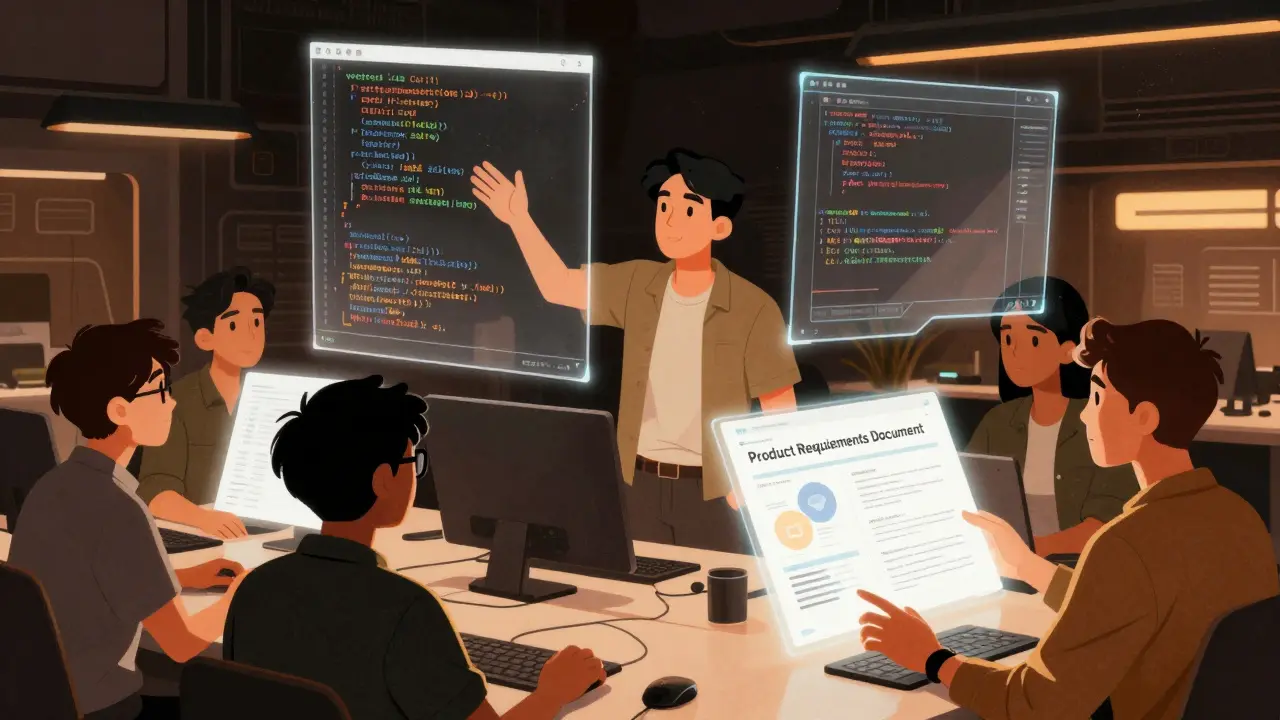
- PRD and Planning (3-6 hours): Write a Product Requirements Document (PRD) for each feature. Break it down into vertical slices. Instead of "Build a todo app," write "Slice 1: User can add a todo item. Database: Todo table with title, completed boolean. API: POST /todos. UI: Input field and button." Clarity here prevents rework later.
- Iterative Development (15-30 mins per slice): Execute the prompts. Review the output. Test immediately. If something breaks, debug the specific issue rather than asking the AI to rewrite the whole thing. Iterate on problems, not solutions.
This structure respects the "3 Ps" of vibe coding: Patience, Persistence, and Planning. Unstructured approaches lead to 65% higher technical debt accumulation. By slowing down the planning phase, you speed up the execution phase dramatically.
Who Is Vibe Coding For?
Vibe coding is not a one-size-fits-all solution. Its suitability depends on your role and experience level:
- Professional Developers (68% of users): Use it to accelerate routine tasks like CRUD operations, boilerplate generation, and testing. It frees you to focus on complex architecture and business logic.
- Citizen Developers (22% of users): Non-developers creating internal tools or dashboards. Vibe coding lowers the barrier to entry, allowing them to build functional apps without deep coding knowledge. However, they should stick to simple use cases.
- Students and Beginners (10% of users): Great for learning concepts quickly. You can experiment with different architectures and see immediate results. But beware of relying on it too much-you need to understand the underlying code to debug it when things go wrong.
For complete beginners, the learning curve is steeper than pure no-code tools like Bubble. You need about 25-30 hours of guided practice to become proficient, according to Emergent’s onboarding metrics. But once you cross that threshold, the payoff is significant.
The Future: Where Is This Heading?
The vibe coding landscape is evolving rapidly. By 2027, Google Cloud analysts predict it will reshape 40-50% of frontend development workflows. Forrester forecasts that vibe coding will account for 30% of all new application development by 2028.
Upcoming developments include:
- Real-Time Collaboration: Microsoft announced real-time collaborative vibe coding for Q3 2026, allowing multiple developers to interact with the same AI agent simultaneously.
- Integrated Security Scanning: GitHub plans to launch integrated security scanning for AI-generated code in Q2 2026, addressing one of the biggest concerns for enterprises.
- Domain-Specific Models: Emergent is developing models fine-tuned for industries like healthcare and finance, ensuring compliance with regulatory standards.
Regulatory concerns are also emerging. 57% of enterprises have implemented policies governing AI-generated code ownership. As you adopt vibe coding, ensure you understand the IP implications and comply with your organization’s guidelines.
Conclusion: Embrace the Augmentation
Vibe coding is not replacing developers; it is augmenting them. It shifts the developer’s role from coder to architect, editor, and integrator. The developers who thrive in this new era will be those who combine AI’s speed with human judgment, planning, and oversight.
If you approach vibe coding with discipline-using structured workflows, choosing the right tools, and maintaining rigorous quality checks-you can build full-stack applications faster and more efficiently than ever before. The future of development is conversational, but it still requires craftsmanship.
Is vibe coding suitable for beginners with no coding experience?
Yes, but with caveats. Platforms like Replit allow beginners to build functional apps using natural language. However, you will need approximately 25-30 hours of guided practice to become proficient. Understanding basic programming concepts helps significantly when debugging AI-generated code or customizing outputs beyond simple templates.
What is the vertical slice methodology in vibe coding?
Vertical slice methodology involves building a feature end-to-end-from database schema to API endpoint to frontend UI-in a single, focused iteration. This approach keeps the AI’s context tight, reduces errors, and ensures that each piece of functionality works completely before moving to the next. It contrasts with traditional layer-by-layer development.
Which AI tool is best for full-stack vibe coding in 2026?
It depends on your needs. GitHub Copilot is best for professional developers working within VS Code. Emergent.sh leads for complex applications due to its multi-agent orchestration and large context window. Replit is ideal for beginners and rapid prototyping due to its ease of use and browser-based interface.
Does vibe coding increase technical debt?
Unstructured vibe coding can significantly increase technical debt, with studies showing a 65% higher accumulation rate. To mitigate this, use structured workflows, define clear architectural rules, review code critically, and maintain documentation. Treating AI as a supervised junior developer rather than an autonomous creator is key.
Can AI-generated code be secure?
AI-generated code can be secure, but it requires human oversight. AI models may replicate insecure patterns found in training data. Always review code for vulnerabilities like SQL injection or exposed keys. Upcoming features like integrated security scanning in GitHub Copilot (Q2 2026) will help automate this process, but manual review remains essential for now.



Comments
Laura Davis
Listen up because I am not going to repeat myself. This whole vibe coding trend is just a glorified copypaste job with extra steps and zero accountability. You think you are saving time but you are actually building a ticking time bomb of technical debt that will explode in your face when the AI hallucinates a library that doesn't exist.
I have seen too many junior devs try to skip the basics and now they can't debug their own code because they don't understand what the black box did. It is disrespectful to the craft to treat software engineering like a magic trick. You need to know your stack inside out or you are just setting yourself up for failure. Stop pretending this is a viable long-term strategy for anything other than throwaway prototypes. The moment you need to scale or secure it you are screwed.
And don't even get me started on the security risks. SQL injection vulnerabilities? Really? In 2026? If you cannot spot those yourself then you should not be deploying code period. This is not about being anti-tech it is about maintaining standards and not letting lazy shortcuts ruin our industry. Wake up.
July 3, 2026 AT 10:25
Lisa Nally
Oh honey, please. Your entire argument is predicated on a fundamental misunderstanding of the paradigm shift occurring in modern full-stack development architectures.
The metrics cited from Wasp.dev regarding the 20-50x acceleration factor are not merely anecdotal; they represent a statistically significant deviation from traditional waterfall methodologies. When one considers the cognitive load reduction achieved through vertical slice implementation, the efficiency gains become mathematically undeniable.
Furthermore, your assertion that this constitutes 'lazy' development ignores the sophisticated orchestration required to manage multi-agent systems like Emergent.sh. It requires a higher order of architectural oversight, not less. The concept of 'architectural drift' is mitigated by rigorous prompt engineering and context window management, which are skills any competent developer should possess in this era.
To dismiss these tools as mere 'copypaste' mechanisms is intellectually dishonest and fails to acknowledge the nuanced integration of LLMs into the CI/CD pipeline. We are moving towards an era of augmented intelligence where the developer acts as a conductor rather than a musician. If you cannot adapt to this evolution, perhaps it is time to reconsider your relevance in the tech ecosystem. The data supports the efficacy of these methods, and emotional resistance to change is not a valid technical critique.
July 3, 2026 AT 16:02
Edward Gilbreath
they dont want you to write code anymore
big tech wants you to use their ai so they can track everything you do
its all about data harvesting
you think its speed but its control
once you rely on the ai you cant leave
its a trap
July 3, 2026 AT 18:53
kimberly de Bruin
code is just language
and language is just thought
so if the ai thinks for us are we still thinking?
maybe the code writes itself
maybe we are just ghosts in the machine
vibe coding is the death of the soul
but also very fast
July 5, 2026 AT 04:18
Edward Nigma
actually u guys are missing the point entirely
the real issue is that these frameworks are designed to lock you in
who cares if its faster if you cant move the code later
also the security scanning coming in q2 is just greenwashing
they know its broken
i bet half the 'production ready' code has hidden backdoors
just my two cents but i doubt anyone here knows how to compile c anyway
July 6, 2026 AT 00:33